


HUION Kamvas 24 QHD Drawing Tablet with Screen, 2.5K Graphics Art Tablet, 23.8inch Drawing Monitor USB-C Connection for Artist, Work with Mac, Windows, Linux, Android
Original price was: $2,530.54.$2,192.78Current price is: $2,192.78.


Price: MYR2,530.54 - MYR2,192.78
(as of Oct 24, 2025 16:48:32 UTC – Details)
Product description
Kamvas 24 2.5K Requires Connect to Computer, Laptop, or Android Device to Work 


 Draw and write like on paper
The anti-glare film adds more friction to the screen delivering true paper feel for natural drawing.
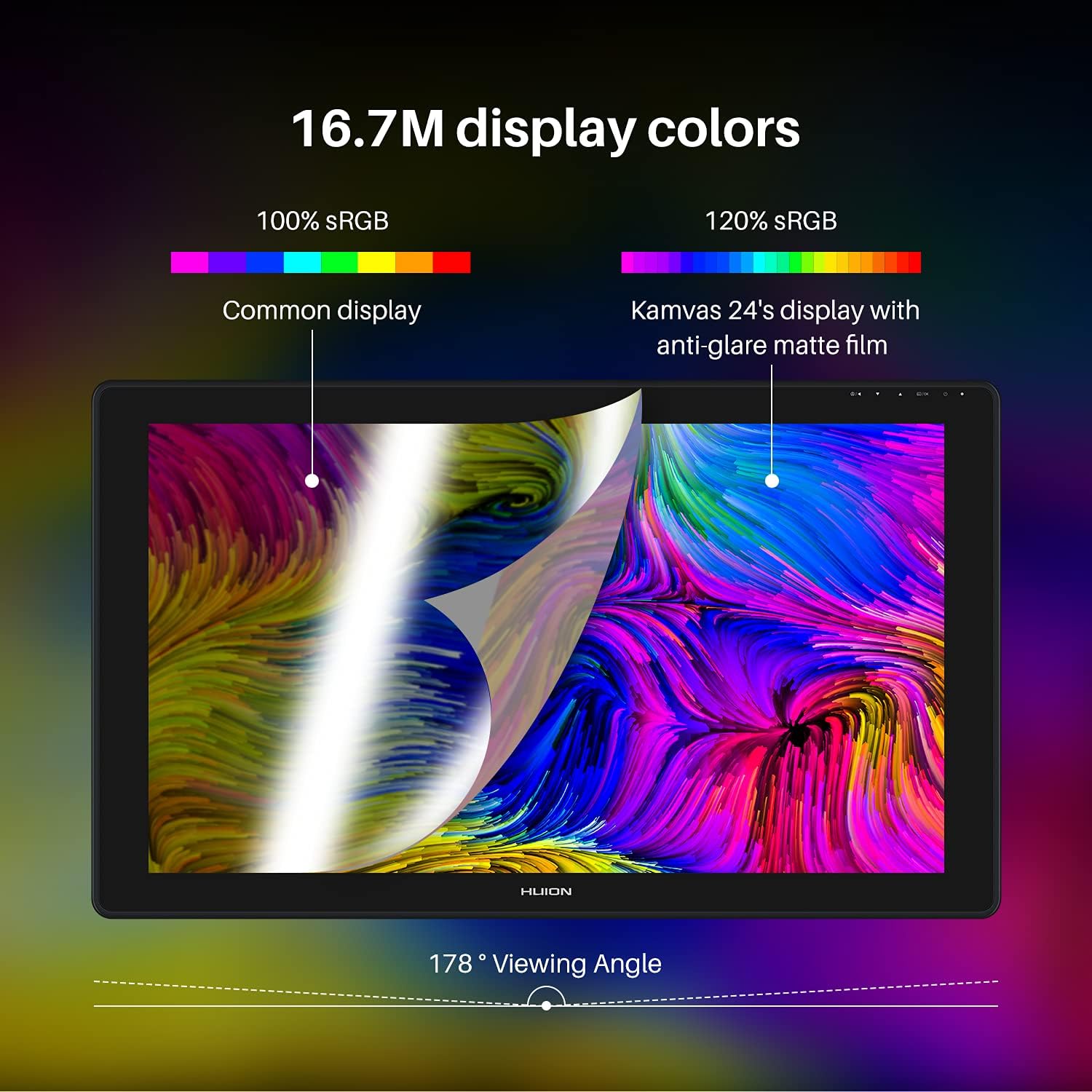
1 Immersive Colors
2 2.5K Resolution
3 178° Viewing Angle
4 Anti-glare Matte Film

Powerful Compatibility & Thoughtful Design
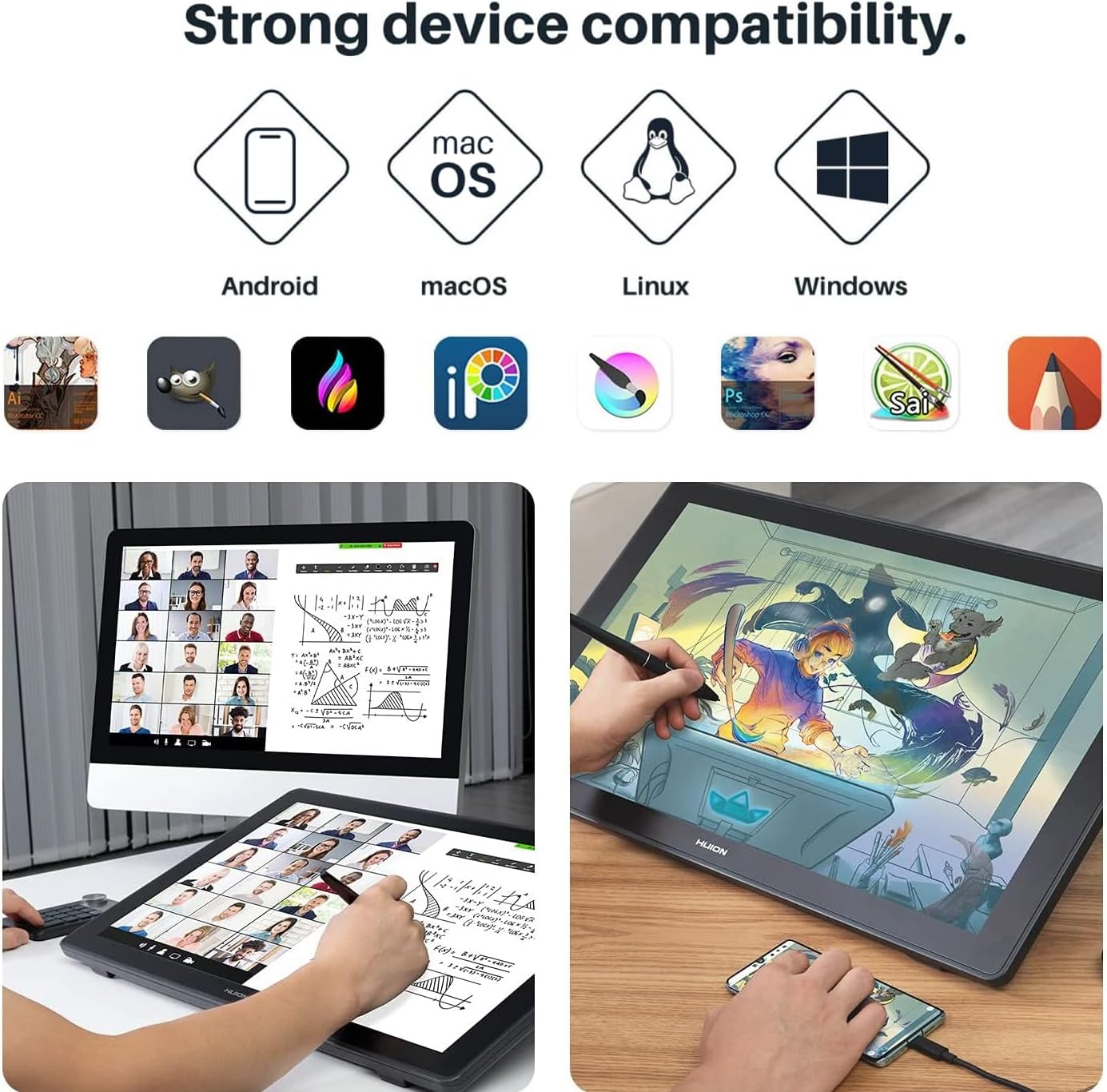
 Strong Compatibility
The drawing monitor is compatible with Windows, macOS, Linux OS, Android, and most creative software


Extra Accessories
 HUION Keydial Remote – Your Reliable Assistan
It features a dual-dial controller and 6 Groups of 8 programmable keys. It enables connection to two devices via Bluetooth. The ergonomic design offers a comfortable grip for creation.
 Use HUION adjustable stand or your own
Comes with an adjustable stand, Kamvas 22 Plus can be adjusted from 20° to 80°, which will ensure you work with a comfortable posture.You can also purchase our Single Monitor Arm ST410 (optional).

Equipped with VESA holes for mounting an arm bracket to keep the screen comfortable and protect your neck and waist, and back health.

Comes with a 20° to 80° adjustable stand, which can reduce the tension of your neck, shoulder, and back when working.


It can also be directly laid flat on the desktop for use, 23.8 x 14.1 inches pen display ≈ 4 US Letter sheets (2 horizontal+2 vertical), slightly narrower/taller but same area.
What configuration does my computer need to meet to be able to use 2.5K QHD resolution on Kamvas 24 and Kamvas 24 Plus?
There is no special requirement for computers to present pictures in 2.5K resolution. Most computers that support FHD also support QHD. According to the test, NVIDIA GTX1060, AMD RX480 and above graphics cards can work well and realize smoothly.
Can I use the Huion Kamvas 24/Kamvas 24 Plus as a second monitor?
Yes, you can use the Huion Kamvas 24/Kamvas 24 Plus as a second monitor by setting the Duplicate Mode or Extend Mode.
Can I use a USB-C to USB-C cable from other brands on the Huion Kamvas 24/Kamvas 24 Plus?
Yes. Since the USB-C to USB-C cable is not included in the package of Kamvas 24, you can purchase a full-featured cable from other brands. But please make sure the USB-C to USB-C cable at least supports USB3.1 GEN1 data transfer protocol and DP1.2.
What size of VESA mounting should I use with the Huion Kamvas 24/Kamvas 24 Plus?
100mm x 100mm
2.5K Resolution for Clear Visuals: As the Value-priced large format display of Huion, Kamvas 24 digital drawing tablet equips the 23.8-inch 2.5K screen with a 178°wide viewing angle and 120%s RGB color gamut that makes your creative session comfortable and productive. With scratch-resistant anti-glare film, no air gap will bring you a lifelike drawing experience as drawing on paper.
A display designed for creativity: The digital art tablet features 16.7 million colors and 72% NTSC to see every detail of your creations on screen. New optical bonding process eliminates parallax, mimicking the precision & feel of pen and paper.
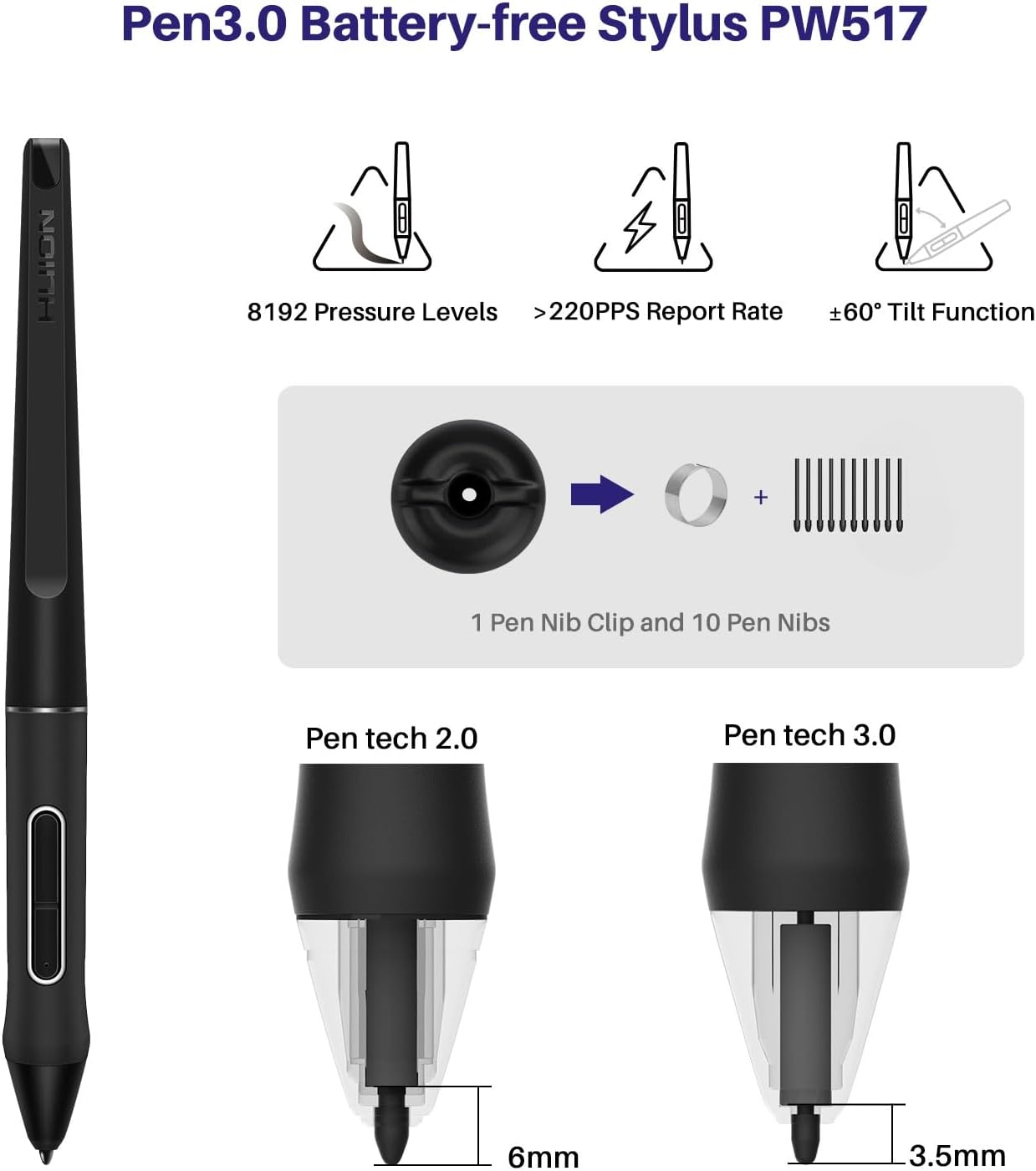
HUION PenTech3.0: With 8192 levels of pen pressure, ±60° tilt function, and 266pps of report rate, PW517 immediately reacts to the tilt and each movement of your hand with amazing precision and control. The balance of weight, rubber grip, and position of the two side buttons combine to make it sit comfortably in your hand.
Easy Connection: The Kamvas 24 computer graphics tablets connects to your computer via a 3-in-1 cable(included) or a full-featured Type-C cable(not included). Note: When you connect your Android device via a full-featured Type-C cable, please connect the 3-in-1 cable + adapter for power supply simultaneously.
Compatibility: Kamvas 24 digital drawing pad can be compatible with Windows 7 or later,macOS 10.12 or later, Android devices, and Linux. Android devices need a full-featured USB-C cable(not included) to connect.
Equipped with a USB hub, you can easily connect all your peripherals without reaching far under your desk or behind your computer. The included multi-angle adjustable stand ST100A is sturdy and reliable. You can adjust the angle within the 20°~ 80° range easily to make your drawing much more comfortable.
Customers say
Customers find the graphics tablet to be of good quality with a crisp display and exceptional brightness and color clarity. They appreciate its size, with one customer noting it makes animating easier, and find it easy to set up and use. The functionality and connectivity receive mixed reviews – while some say it works well, others report it stops working and have issues with computer connections. Customers consider it good value for money.






Reviews
There are no reviews yet.