


Avantree Medley Air – Wireless Earbuds for TV Listening with Clear Dialogue, Open-Ear Design for Surrounding Awareness, Bluetooth Transmitter & Headphones Charging Dock 2 in 1, Soundbar Passthrough
Original price was: $455.94.$364.74Current price is: $364.74.




Price: MYR455.94 - MYR364.74
(as of Nov 22, 2025 02:47:19 UTC – Details)
Product description

Before you buy, please note that…
Neither the ear nor neck bands can be adjusted or replaced, so the headphones’ size may be too small for those with larger head sizes (>24.8in. / 63cm head circumference, or XXL and larger hat sizes).Headband protrudes in the back and may cause discomfort when reclined.Up to 8 hours at normal volume. Continuous high volume shortens battery life.Note: If connecting via optical, set your TV’s audio output to “PCM / Stereo” for optimal sound.

 Superior Sound Clarity
Utilizing air conduction technology, the Medley Air effectively transmits higher treble frequencies.
 Surrounding Awareness
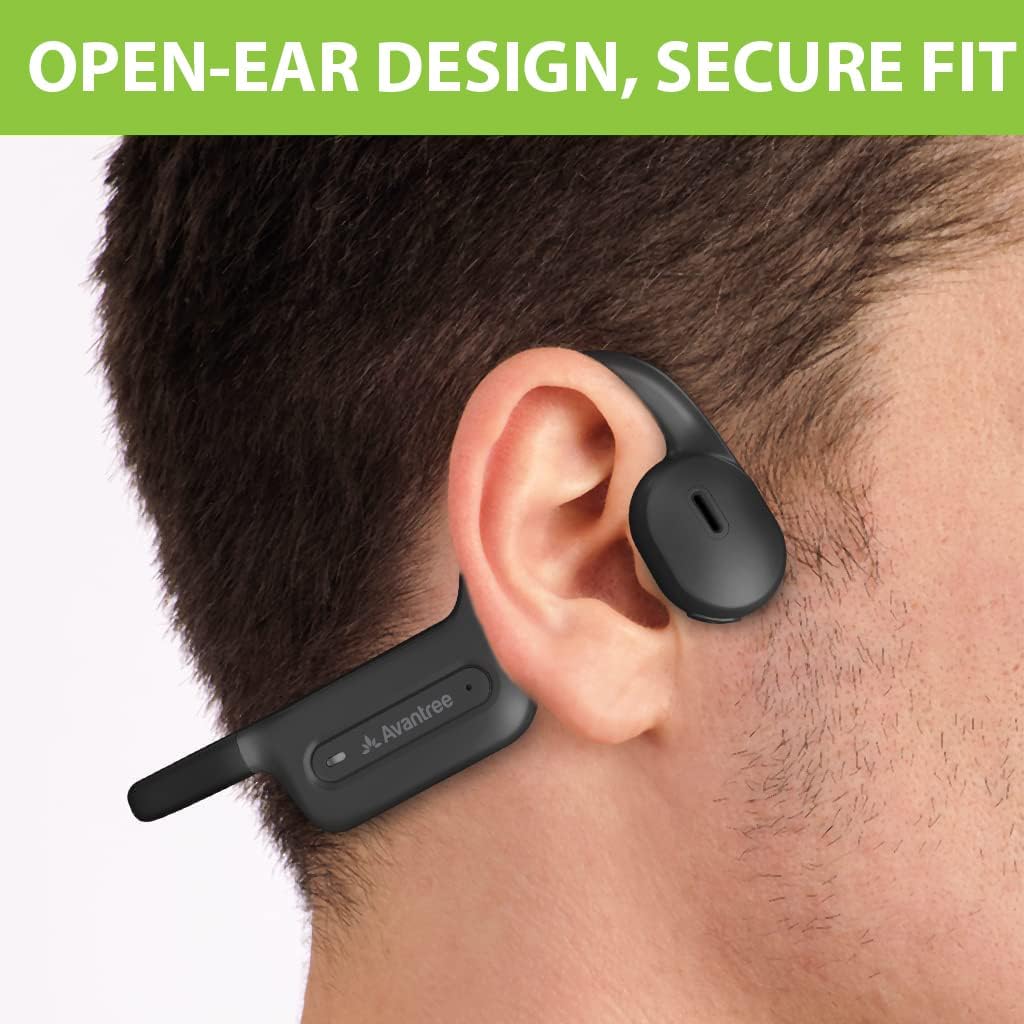
Open-ear design lets you hear your surroundings while enjoying TV, with a secure, non-slip fit.
 Simple, Quick Charging
Once you’re finished watching TV, simply place the headphones onto the transmitter.
1 Superior Clarity
2 Surrounding Awareness
3 Quick Charging
The video showcases the product in use.The video guides you through product setup.The video compares multiple products.The video shows the product being unpacked. hero-video Merchant Video
Connect via Base (Recommended)  Connect Cables
Plug Optical cable into TV’s Optical Out & transmitter’s OPTICAL.
 Power
Power
Plug USB-C cable into power near TV. Ensure the transmitter’s power switch is in the “On” position. Take the headphones off, they should auto-pair.
 Adjust TV Sound Settings
Use your TV remote to select the correct audio output. For optical output, ensure audio format is set to PCM. (This resolves 95% of common issues.)
 Play
Play
Sit back, relax, and enjoy!
Setup for Bluetooth Enabled TV  Keep the transmitter OFF
Ensure the transmitter’s power switch is in the “OFF” position.
 Select the correct settings
Using your TV remote, go to:
Settings → Sound → Sound Output. Select Bluetooth Speaker List.
 Put earbuds in pairing mode
The earphones will enter pairing mode automatically by flashing red and blue.
 Select “Avantree NB15T”
Select ‘vantree NB15T’ from your TV Bluetooth speaker list.
Can I use the earphones and have the TV speakers on so others can also hear the TV?
The majority of TVs can play audio through their built-in speakers and the earphones, but it’s TV-dependent. The Medley Air’s pass-through function allows audio to be played simultaneously through both the earphones and an EXTERNAL speaker.
Can I add more headphones to the set?
Yes, you can add up to 2 pairs of headphones total.
Do the earphones have volume control?
Yes, the earphones feature built-in controls so you can adjust the volume or pause / play without needing to use the remote.
How to Fix No Sound Issues for TV Headphones?
1. Ensure the headphones are connected to base (solid LED on ‘1’). 2. Set the TV’s audio output correctly and change the audio format to PCM—this resolves 90% of issues.
Can I use this product to connect to my Smart TV?
Yes, simply set the adapter switch to OFF, then pair your headphones directly with the TV via Bluetooth.
【TV Compatibility】 Works with TVs that have optical (TOSLINK), AUX (3.5mm), or built-in Bluetooth outputs. Note: Use the port labeled “Input from TV.” For optical, set audio to PCM / Stereo.
【For Bluetooth TVs】 Smart TVs with built-in Bluetooth (e.g., Samsung 2024) can pair directly – no transmitter needed. Note: This method is highlighted in our Interactive User Guide (IUG). If your TV only has HDMI ports, check if it supports Bluetooth.
【Open-Ear Secure Fit】 Designed to sit just outside your ears, the earbuds provide a stable, non-slip fit that works well with glasses or hearing aids.
【Surrounding Awareness】 Stay aware of what’s happening around you while watching TV – chat with family or hear the doorbell without removing your earbuds.
【Soundbar Passthrough】 Enjoy TV at your own volume through the earbuds while others listen through a soundbar – no more arguments over volume levels.
Customers say
Customers find the earbuds’ sound quality excellent, with one noting they don’t block out all sound, and they work well for TV watching. The product is easy to set up and customers consider it a great headset that’s perfect for hearing TV. The comfort and fit receive mixed feedback – while some find them comfortable, others say they’re too painful to wear, and while some report a good fit, others find them uncomfortable. The pairing ability also gets mixed reviews, with some finding it easy to pair with devices while others report connection issues.




Reviews
There are no reviews yet.